Midjourney Artificial Intelligence: How It Works and What It Can Create
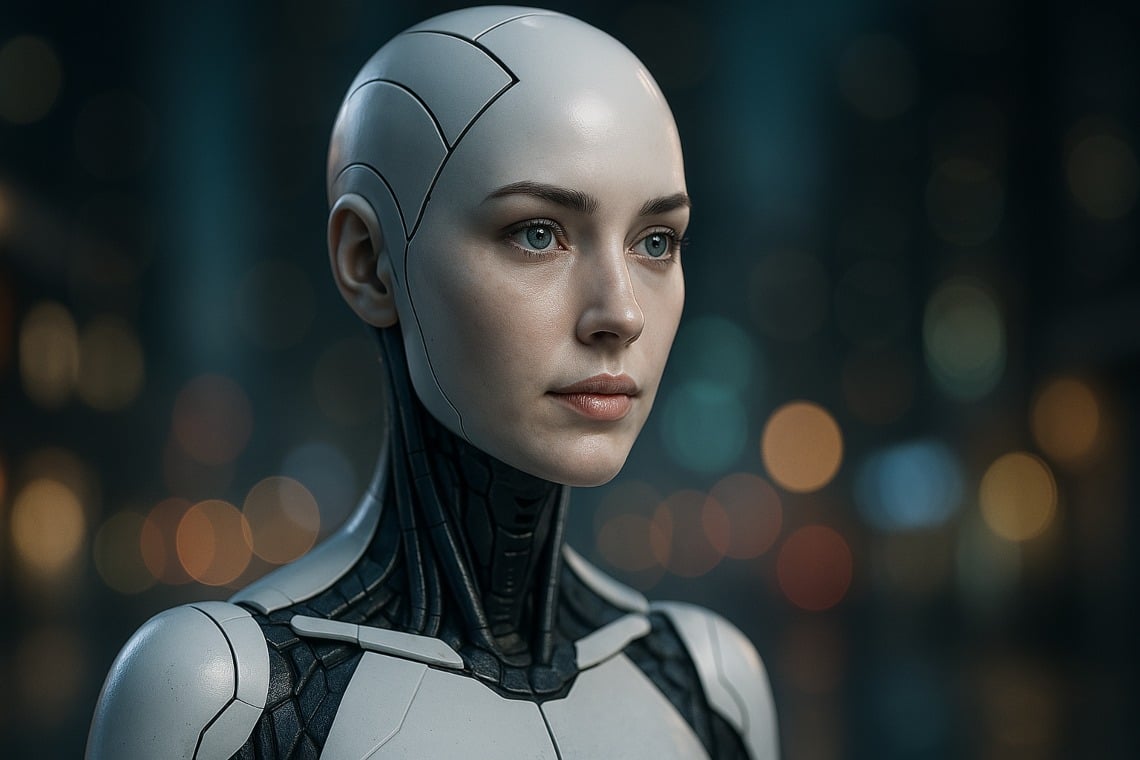
Midjourney is a generative artificial intelligence platform that turns written descriptions into images. By entering a prompt, users can create anything from a cinematic landscape to a stylized character portrait or an early product concept. Its appeal lies in the ability to translate an idea into a visual direction without requiring traditional drawing or painting skills.
For designers, marketers, artists, and curious beginners, Midjourney offers a fast way to explore visual possibilities. However, using it effectively requires more than typing a few keywords. Clear direction, careful iteration, and an understanding of its limitations all matter.
What Is Midjourney?
Midjourney is both the name of an independent research lab and its AI image-generation service. The platform uses machine learning models to interpret prompts and produce images that reflect the requested subjects, settings, styles, and compositions.
Unlike a conventional image search engine, Midjourney generates new outputs rather than simply retrieving existing pictures. Those outputs are shaped by patterns learned during training, along with the instructions and visual references supplied by the user.
Midjourney became widely known through its Discord-based interface and also offers a web interface. Available tools, access requirements, and subscription options can change, so the official website is the best source for current details.
How Does Midjourney Artificial Intelligence Work?
At a practical level, Midjourney analyzes a prompt and generates an image based on its interpretation. A request might describe a subject, environment, lighting setup, artistic medium, and mood. The system combines those instructions into a visual result.
For example, a prompt such as “a quiet coastal town at sunrise, pastel buildings, soft atmospheric light, watercolor illustration” gives the model several distinct directions. It identifies what should appear, where the scene takes place, and how the image should look.
Image generation is not a precise translation process. The same prompt can produce different results, and some instructions may be interpreted loosely. Users typically refine their ideas through multiple generations, variations, and edits.
What Can Midjourney Be Used For?
Concept Art and Visual Development
Midjourney can help explore characters, environments, costumes, and fictional worlds. These images can serve as starting points for more detailed work by illustrators, game developers, and production designers.
Marketing and Creative Brainstorming
Creative teams can use generated images to test campaign themes, develop mood boards, and compare visual directions. Final advertising materials still need review for accuracy, brand consistency, usage rights, and potentially misleading content.
Design Exploration
The platform can visualize interior styles, packaging ideas, and product concepts. These images are useful for inspiration, but they should not be mistaken for technical drawings or evidence that a design is structurally sound or manufacturable.
Personal Creative Projects
Beginners can experiment with illustrations, imaginative scenes, and decorative artwork. The relatively low barrier to entry makes visual experimentation accessible to people without extensive design training.
How to Write Better Midjourney Prompts
Effective prompts usually communicate a clear visual goal. Long descriptions are not automatically better; a concise prompt with specific details often provides stronger direction than a list of loosely related adjectives.
- Identify the subject: Describe the main person, object, creature, or scene.
- Define the setting: Include the location, time period, weather, or background.
- Choose a medium: Specify photography, watercolor, pencil drawing, or another visual approach.
- Describe lighting and composition: Mention soft daylight, dramatic shadows, a close-up, or a wide-angle view.
- Refine selectively: Change one or two elements at a time to better understand their effect.
A useful starting prompt might be: “Editorial photograph of a ceramic coffee cup on a wooden table, morning window light, neutral colors, shallow depth of field.” From there, the user can adjust the background, framing, or mood.
Limitations and Ethical Considerations
Midjourney can produce convincing images, but visual polish does not guarantee accuracy. Generated images may contain anatomical errors, inconsistent details, distorted objects, or incorrect text. They are not reliable evidence of real events, places, or people.
Privacy also deserves attention. Before uploading confidential designs, client materials, or personal photographs, users should review the platform’s current visibility settings, privacy options, and terms.
Copyright and commercial use require separate consideration. Permission to use an output under a platform’s terms does not necessarily mean that the output qualifies for copyright protection or is free from third-party rights concerns. In the United States, purely AI-generated material generally does not qualify for copyright protection; human-authored contributions may be protected depending on the circumstances.
Responsible use also means avoiding deceptive imagery, respecting consent when depicting identifiable people, and disclosing AI involvement when its omission could mislead an audience.
A Tool for Exploration, Not a Substitute for Judgment
Midjourney artificial intelligence makes it easier to move from an abstract idea to a visual concept. Its greatest strength is rapid exploration: testing moods, compositions, and styles before committing to a final direction.
The strongest results still depend on human judgment. Clear creative goals, thoughtful selection, careful editing, and responsible use turn an impressive generated image into something genuinely useful.
6 Key Benefits of Midjourney for AI Image Creation
- Turns text prompts into images quickly.
- Helps visualize ideas and concepts.
- Offers a wide range of artistic styles.
- Supports rapid creative experimentation.
- Can inspire designers and artists.
- Makes image creation accessible to beginners.
Midjourney’s Drawbacks: Inaccuracies, Prompting Challenges, Ethical Concerns, and Misleading Images
- Can generate inaccurate details, distorted objects, or garbled text.
- Requires practice to write effective prompts.
- Raises copyright, privacy, and consent concerns.
- May produce polished images that mislead viewers.
Turns text prompts into images quickly.
Midjourney’s ability to turn text prompts into images quickly makes it a useful tool for visual brainstorming. In just a short time, users can see an idea take shape, explore different styles, and compare creative directions without having to create each image from scratch. This speed can help artists, designers, and beginners move from a written concept to a visual starting point more efficiently.
Helps visualize ideas and concepts.
Midjourney artificial intelligence helps users turn abstract ideas into vivid images, making concepts easier to understand, explore, and communicate. By entering a written description, users can visualize anything from a product concept to an imaginative landscape without advanced drawing skills. This makes it useful for brainstorming, building mood boards, and comparing creative directions. Although generated images may need refinement, they provide a practical starting point for developing ideas and sharing a vision with others.
Offers a wide range of artistic styles.
Midjourney’s wide range of artistic styles makes it easy to explore different visual directions from a single idea. With a well-written prompt, users can create images that evoke photography, watercolor, oil painting, comic art, 3D rendering, or many other looks. This flexibility is useful for brainstorming, building mood boards, and adapting visuals to different creative projects without starting from scratch each time.
Supports rapid creative experimentation.
Midjourney supports rapid creative experimentation by turning written ideas into images in minutes. Users can quickly try different styles, colors, compositions, and moods, then refine promising results without starting over from scratch. This makes it easier to explore multiple creative directions, compare concepts, and discover unexpected possibilities before investing time in a finished design.
Can inspire designers and artists.
Midjourney can inspire designers and artists by quickly turning written ideas into a wide range of visual concepts. Exploring different styles, colors, compositions, and moods can spark fresh directions or help overcome creative blocks. Rather than replacing an artist’s judgment, it can serve as a brainstorming tool—offering starting points that creators can refine, combine, and make their own.
Makes image creation accessible to beginners.
Midjourney makes image creation more accessible to beginners by turning written descriptions into visual concepts, so users don’t need advanced drawing skills or expensive design software to get started. By describing a subject, style, and mood, newcomers can quickly explore different ideas and learn what works through experimentation. This lowers the barrier to creative expression while still leaving room to develop stronger prompting and design skills over time.
Can generate inaccurate details, distorted objects, or garbled text.
One drawback of Midjourney is that its images can look convincing while containing inaccurate details, distorted objects, or garbled text. A hand may have an unusual shape, a familiar object may be missing key features, and words in signs or labels may appear as unreadable symbols. These flaws can make generated images unsuitable for situations that require factual accuracy or legible text, so outputs should be checked and edited before use.
Requires practice to write effective prompts.
One drawback of Midjourney is that getting the image you want often takes practice. Prompts need to describe the subject, style, composition, lighting, and other details clearly, and small wording changes can lead to very different results. Beginners may need several attempts to learn which instructions work well and how to refine an image, making the process less straightforward than simply entering a basic request.
Raises copyright, privacy, and consent concerns.
Midjourney raises copyright, privacy, and consent concerns because AI-generated images can draw on patterns learned from creative works whose creators may not have authorized their use in training. Outputs may also resemble protected artwork or recognizable individuals, creating potential legal and ethical risks. Uploading personal photos or confidential materials can introduce additional privacy concerns, depending on the platform’s current policies and settings. Users should review applicable terms, obtain appropriate permissions, and avoid creating or sharing misleading or nonconsensual depictions of real people.
May produce polished images that mislead viewers.
Midjourney can create images that look polished and convincing, which may lead viewers to mistake fictional or heavily altered scenes for real photographs. This can spread misinformation, distort public understanding of events, or create unrealistic expectations when images are used in advertising or social media. Clear labeling and careful context help audiences recognize when an image was generated by AI.