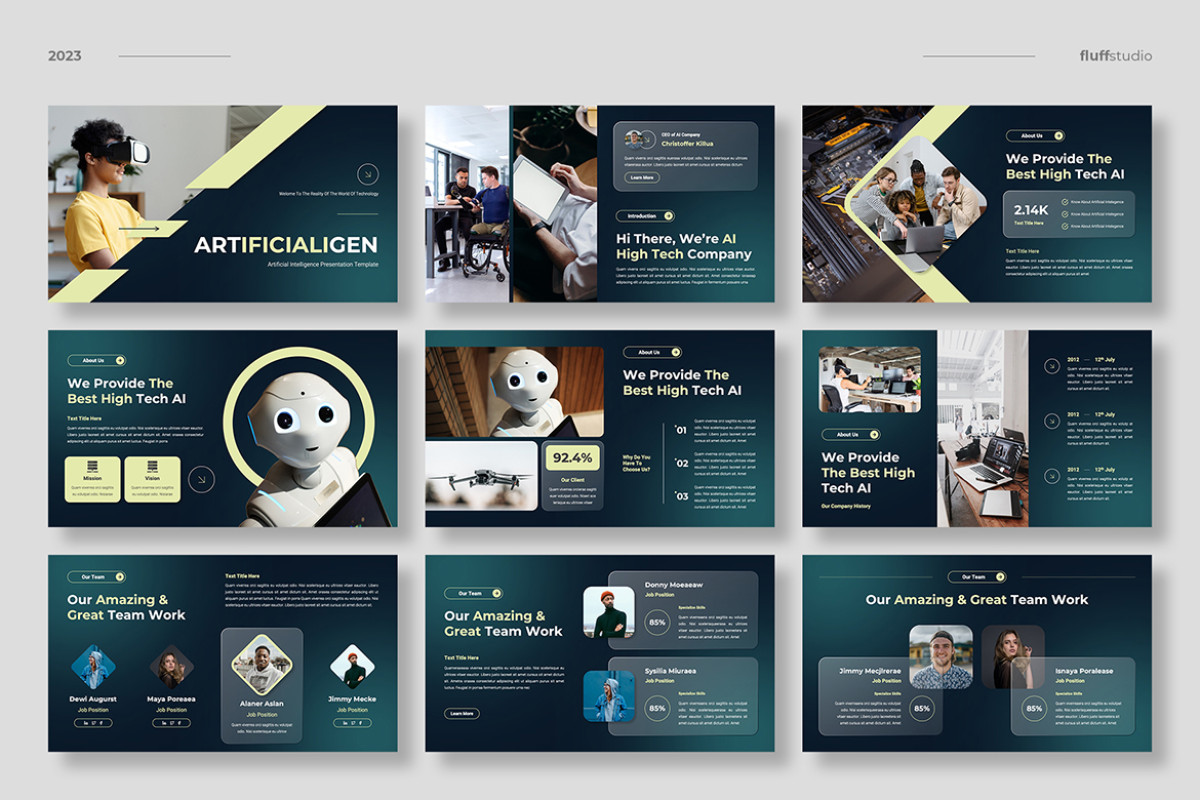
Creating an Engaging Artificial Intelligence PowerPoint Presentation
In today’s rapidly advancing technological landscape, artificial intelligence (AI) stands at the forefront of innovation. Whether you’re a student, educator, or professional, creating a compelling PowerPoint presentation on AI can effectively communicate complex ideas and engage your audience. Here are some tips and key elements to consider when crafting your AI presentation.
Understanding Your Audience
Before diving into the content, it’s crucial to understand who your audience is. Are they AI experts, industry professionals, students, or laypersons? Tailoring your presentation’s complexity and depth to match their knowledge level will ensure better engagement and comprehension.
Structuring Your Presentation
- Introduction: Start with a brief overview of what AI is and its significance in today’s world. This sets the stage for deeper exploration.
- Main Content: Divide this section into clear subtopics such as history of AI, current applications, ethical considerations, and future trends. Use separate slides for each subtopic to maintain clarity.
- Case Studies: Include real-world examples of AI applications across different industries such as healthcare, finance, and transportation. This helps illustrate the practical impact of AI technologies.
- Conclusion: Summarize key points discussed in the presentation and offer insights into potential future developments in AI.
Design Tips for Impactful Slides
The design of your slides can significantly affect how your message is received. Consider these tips:
- Simplicity: Keep slides uncluttered by limiting text and using bullet points. Aim for one main idea per slide.
- Visuals: Incorporate images, charts, and infographics to visually represent data and concepts. Visuals can make complex information more digestible.
- Consistency: Use a consistent color scheme and font style throughout the presentation to maintain a professional appearance.
- Avoid Overloading with Text: Use concise language; elaborate verbally rather than filling slides with text-heavy content.
Telling a Story
A great way to engage an audience is by telling a story through your presentation. Narrate how AI has evolved over time or share anecdotes about groundbreaking innovations in the field. Storytelling can make technical topics more relatable and memorable.
The Role of Interactivity
If possible, incorporate interactive elements such as polls or Q&A sessions within your presentation to involve the audience actively. This engagement can enhance understanding and retention of information presented.
The Importance of Practice
No matter how well-designed your slides are, effective delivery is key to success. Rehearse multiple times before presenting to ensure smooth transitions between topics while maintaining eye contact with the audience rather than reading directly from slides.
An engaging artificial intelligence PowerPoint presentation requires careful planning regarding both content structure and visual design aspects alongside thoughtful delivery practices aimed at fostering meaningful connections between presenter ideas conveyed therein towards achieving desired outcomes among diverse audiences encountered along respective journeys undertaken together!
Mastering AI Presentations: 7 Essential Tips for Success
- Start with a clear goal for your AI presentation.
- Use AI to brainstorm slide titles and key points.
- Verify AI-generated facts with reliable sources.
- Keep each slide focused on one main idea.
- Choose visuals that support your message.
- Review AI-generated text for accuracy and tone.
- Practice presenting instead of reading every slide.
Start with a clear goal for your AI presentation.
Starting with a clear goal for your AI presentation is crucial to its success. Defining what you aim to achieve helps guide the content and structure of your slides, ensuring that every piece of information presented aligns with your primary objective. Whether your goal is to educate, persuade, or inspire, having a clear focus allows you to tailor your message and choose relevant examples that resonate with your audience. This clarity not only keeps the presentation on track but also enhances audience engagement by providing them with a coherent narrative to follow. By establishing a well-defined goal from the outset, you set the foundation for a more impactful and memorable presentation.
Use AI to brainstorm slide titles and key points.
Leveraging AI to brainstorm slide titles and key points can significantly enhance the quality and creativity of your PowerPoint presentation on artificial intelligence. AI tools can analyze vast amounts of information quickly, providing you with innovative ideas and perspectives that might not have been immediately apparent. By inputting your main topic or theme into an AI-driven tool, you can generate a variety of potential slide titles that capture attention and convey your message effectively. Additionally, AI can suggest key points by identifying trends, summarizing complex data, and highlighting essential concepts. This approach not only saves time but also ensures that your presentation is comprehensive and aligned with the latest developments in the field of AI.
Verify AI-generated facts with reliable sources.
When creating a PowerPoint presentation on artificial intelligence, it’s essential to verify AI-generated facts with reliable sources. While AI tools can assist in gathering data and generating content, they may sometimes produce inaccurate or outdated information. To ensure the credibility of your presentation, cross-check all AI-generated facts against reputable sources such as academic journals, industry reports, and expert publications. This not only enhances the accuracy of your content but also strengthens your authority as a presenter. By taking the time to validate information, you demonstrate a commitment to providing your audience with trustworthy insights into the complex and rapidly evolving world of AI.
Keep each slide focused on one main idea.
When creating an artificial intelligence PowerPoint presentation, it’s crucial to keep each slide focused on one main idea. This approach helps maintain clarity and ensures that your audience can easily follow the progression of your presentation. By concentrating on a single concept per slide, you avoid overwhelming viewers with too much information at once, making it easier for them to digest and retain the material presented. This focus not only enhances understanding but also allows for more effective use of visuals and bullet points, which can further illustrate and reinforce the key message you wish to convey. Ultimately, a well-organized slide deck with clear, singular points fosters better engagement and facilitates a more impactful presentation experience.
Choose visuals that support your message.
Choose visuals that support your message rather than adding decoration. For an artificial intelligence PowerPoint, diagrams can clarify how a model processes information, charts can show trends or comparisons, and relevant images can make real-world applications easier to understand. Keep visuals simple, clearly labeled, and directly connected to the point on each slide so they help the audience follow your ideas instead of distracting from them.
Review AI-generated text for accuracy and tone.
When incorporating AI-generated text into your PowerPoint presentation on artificial intelligence, it’s crucial to review it for accuracy and tone. While AI tools can efficiently generate content, they may occasionally produce information that is outdated or incorrect. Ensuring the accuracy of the data and facts presented is essential to maintain credibility with your audience. Additionally, the tone of AI-generated text might not always align with the intended message or style of your presentation. Carefully editing and refining this text can help ensure it resonates with your audience and supports the overall narrative you wish to convey. By taking these steps, you enhance both the quality and effectiveness of your presentation.
Practice presenting instead of reading every slide.
Practice presenting your artificial intelligence PowerPoint instead of reading every slide word for word. Familiarity with your material helps you explain complex ideas naturally, maintain eye contact, and connect with your audience. Use the slides as visual prompts, then add context, examples, or brief explanations in your own words. Rehearsing also helps you refine your timing and feel more confident during the presentation.